A large share of EV owners charge at home. Yet the monthly cost of that charging, its effect on the tiered tariff and the strain it puts on the home installation stay invisible. Car and charger apps do not answer these questions, and an overheating breaker often goes unnoticed.
Every kilowatt of your charging, under control.
Monitor your home charger and smart breaker in one panel. Consumption, cost and safety.
7 days free, no card required.
117active users
20 sinterval, measured even when the app is closed
6automatic protection rules
7 daysfree trial, setup included
About us
We make the home charging point measurable, predictable and safe.
Energy OS is a brand-independent energy management platform for EV owners. It turns data from the charger and the smart breaker into cost, reports and automatic protection.
Energy OS works with chargers and smart breakers on the Tuya / Smart Life platform, with no extra hardware. It processes measurements continuously in the cloud, converts them into cost with the EPDK tiered tariff and switches the breaker off by itself according to the rules you set. Results are delivered in the web panel and the mobile app.
After four months of development the platform serves 117 active users. A multi-tenant cloud architecture, an Android app with in-app automatic updates and a Turkish / English interface are running in production.
I started Energy OS to track the charging cost of my own car and the safety of my breaker. When I saw that every EV owner around me had the same need, I turned it into a platform anyone can use.
Barış TilkiFounder, Energy OS
The entire product, including the server software, data layer, web panel and Android app, was built by a single-founder team together with Claude. AI-assisted development took us from idea to a live product and our first hundred users in four months.
- Architecture, security review and multi-tenant data isolation
- Device telemetry and protection algorithms
- Web, mobile and bilingual interface
Roadmap
LiveSmart Life integration
QR pairing, live telemetry, protection rules, Android app.
NextDirect device connection
Connecting to the charger board over the local network, without the Tuya cloud.
NextiOS app and WhatsApp
An App Store release and charging summaries over WhatsApp.
PlannedDealer and fleet panel
A business panel to manage many stations from one screen, for installers, residential sites and companies.
Everything you need to know about your charging point.
Consumption history, cost and safety data that the device's own app does not show, on a single screen.
Live telemetry and automatic session logs
Power, voltage, per-phase current and breaker temperature in real time. Every charge is logged automatically with its duration, kWh and cost.
Automatic cut-off on overheating
If the breaker temperature passes the limit, the relay switches off at once and you get notified.
65°C default limit
EPDK tiered billing
The 240 kWh tier threshold and the 4,000 kWh annual subsidy cap are tracked automatically.
Current limit by plug type
On a household socket the current is capped at 15A. On industrial plugs you set 6 to 32A remotely.
15A220V household socket
32ABlue plug, single-phase
3×32ARed plug, three-phase
Telegram notifications
You get a message when charging starts, ends, or when something critical happens.
Charging complete38.4 kWh delivered, cost 124.42 TRY.
Temperature alertBreaker heating at 2.5°C/min, relay switched off.
Android app
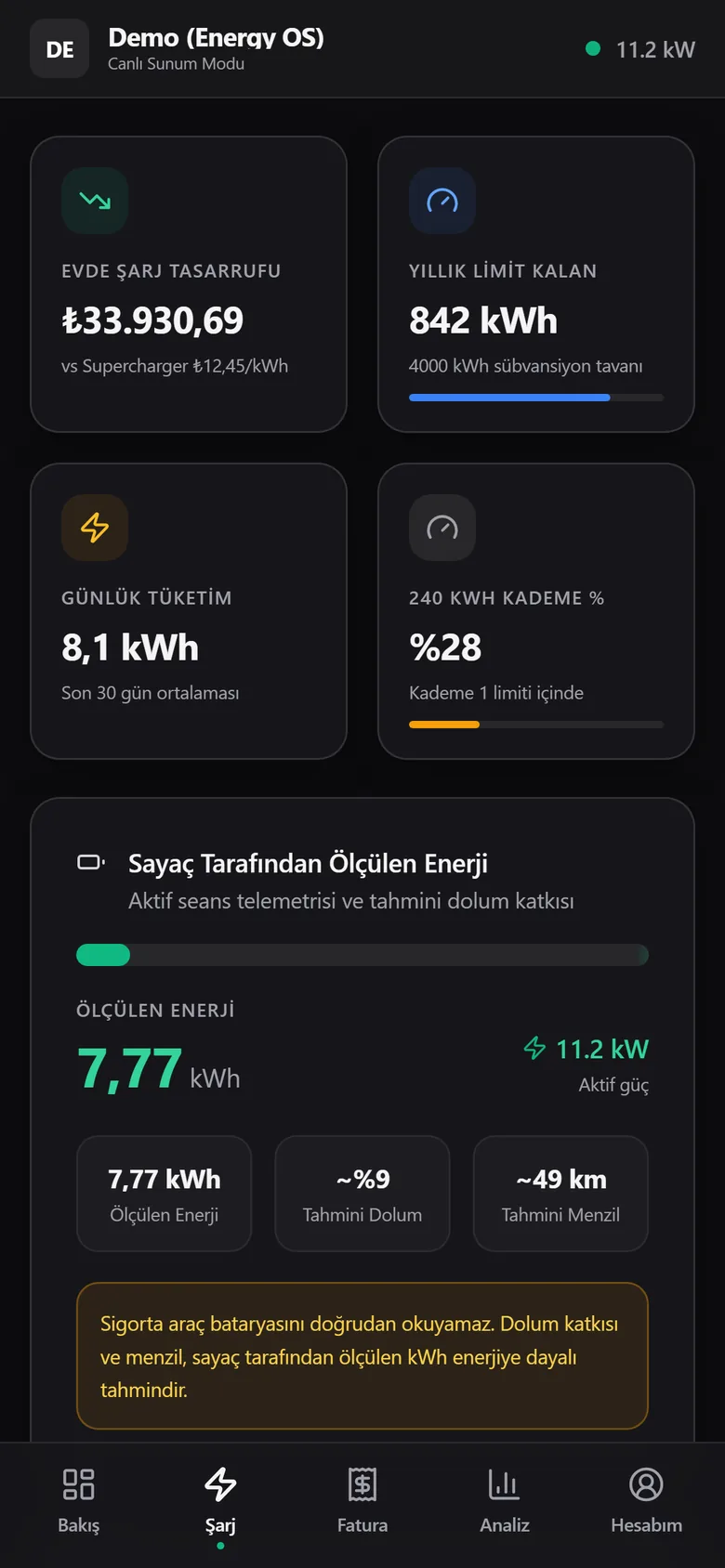
Turkish and English, day and night mode. Updates arrive automatically.
Family view link
Without sharing a password, your household can follow the charging through a read-only link. They cannot touch the switch or settings.
Read-onlyRenewed in one tap
Reports and export
Daily consumption report for any date range, CSV file and a printable A4 expense statement.
CSVA4 PDFMonthly breakdown
Safety
On watch while you charge, and while you sleep.
Our server watches your device even when the app is closed, and switches the breaker off by itself according to your rules.
Temperature ceiling
The relay switches off when the breaker reaches the temperature you set.
Rapid heating detection
If the temperature jumps because of a loose terminal or arcing, it cuts off without waiting for the ceiling.
Socket protection after charging
When the car is full and the current drops to zero, it switches off so the cable is not left live.
Household socket limit
With a 220V socket selected, the current is lowered to 15A even if the device is set higher.
Energy quota per session
You decide the maximum energy a single charge may draw.
Cheap tier guard
Can stop charging once 240 kWh is used in a month, before the expensive tier starts.
A few screens from the panel.
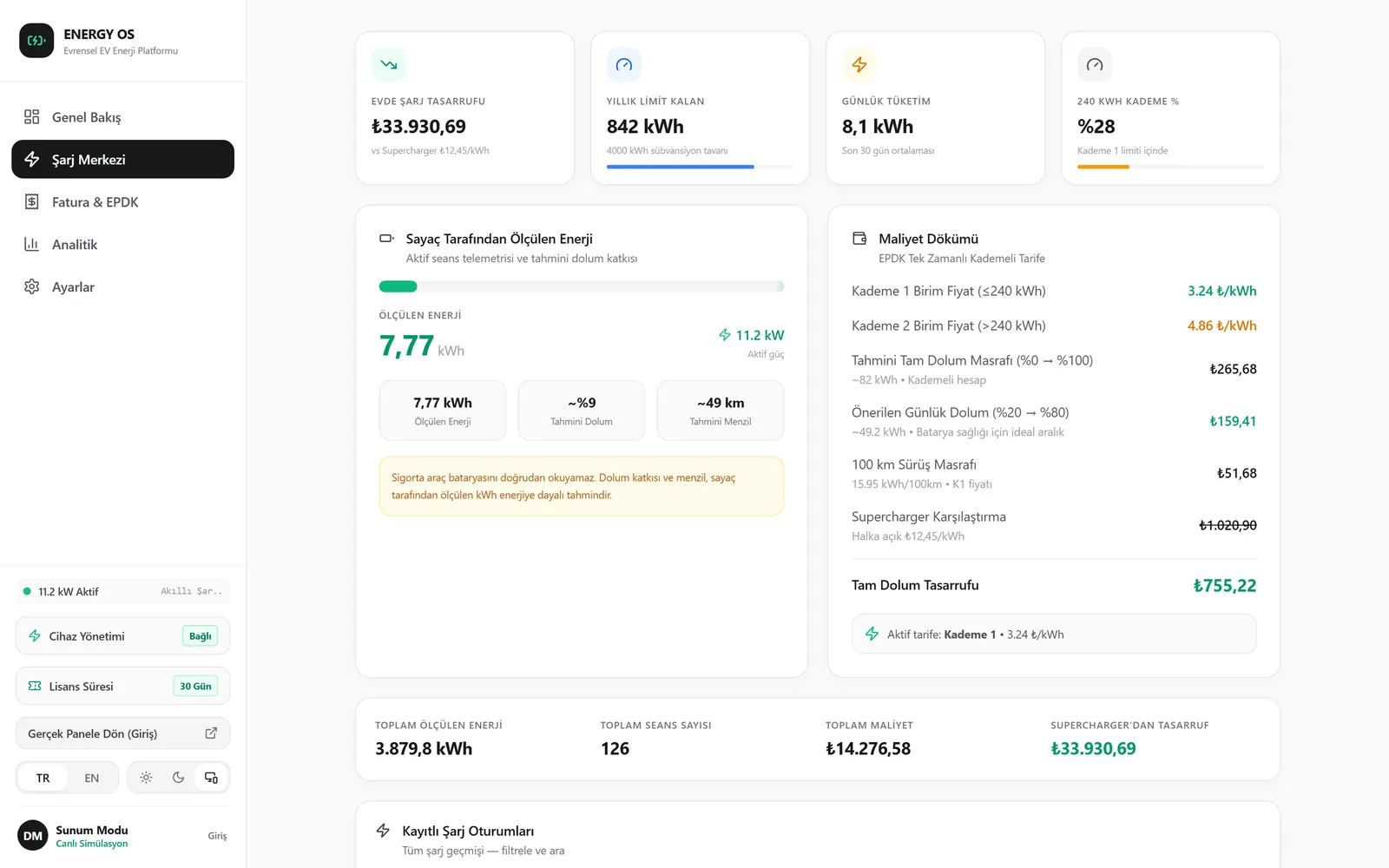
Screenshots are taken from the live demo account and follow your language and theme.
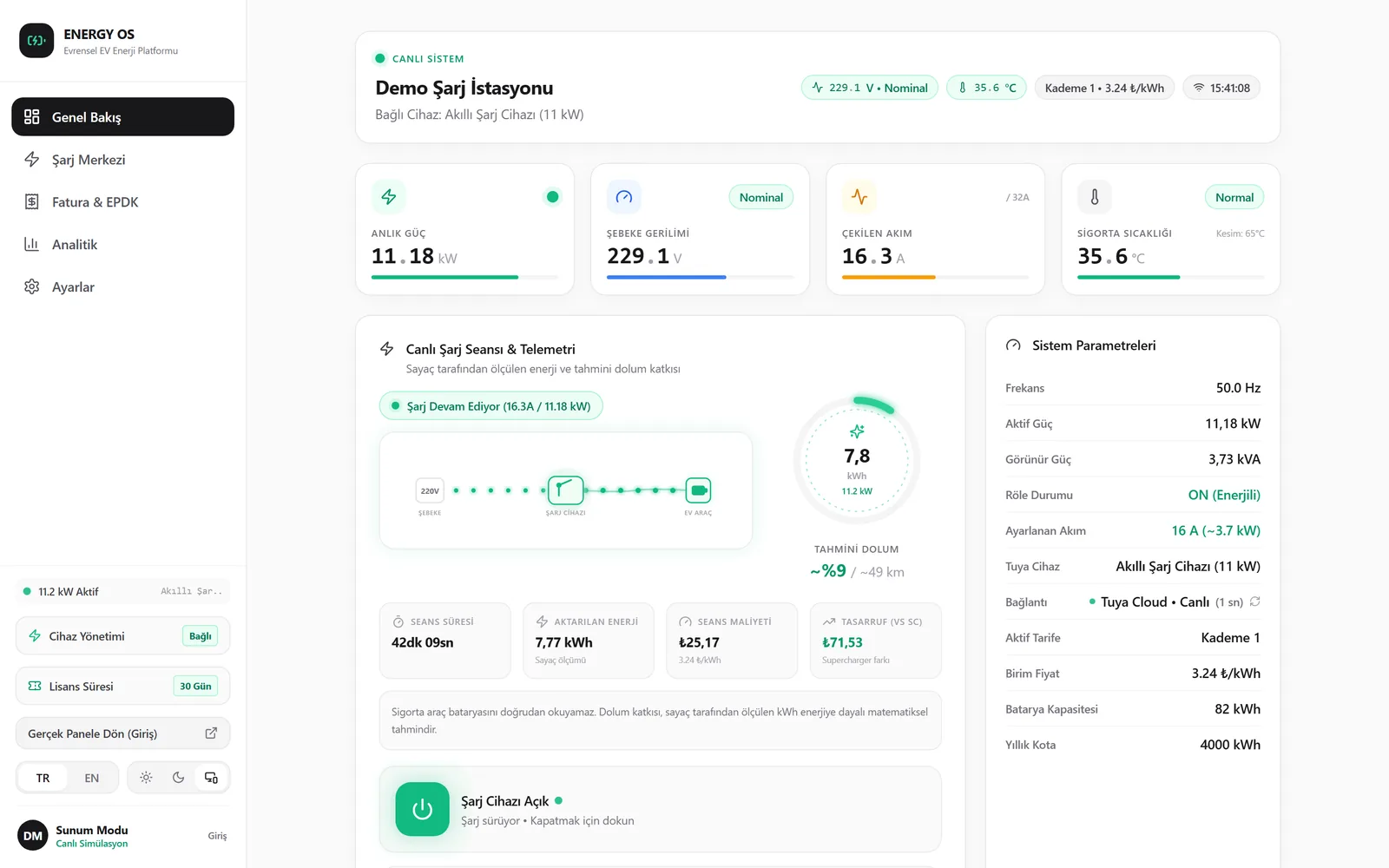
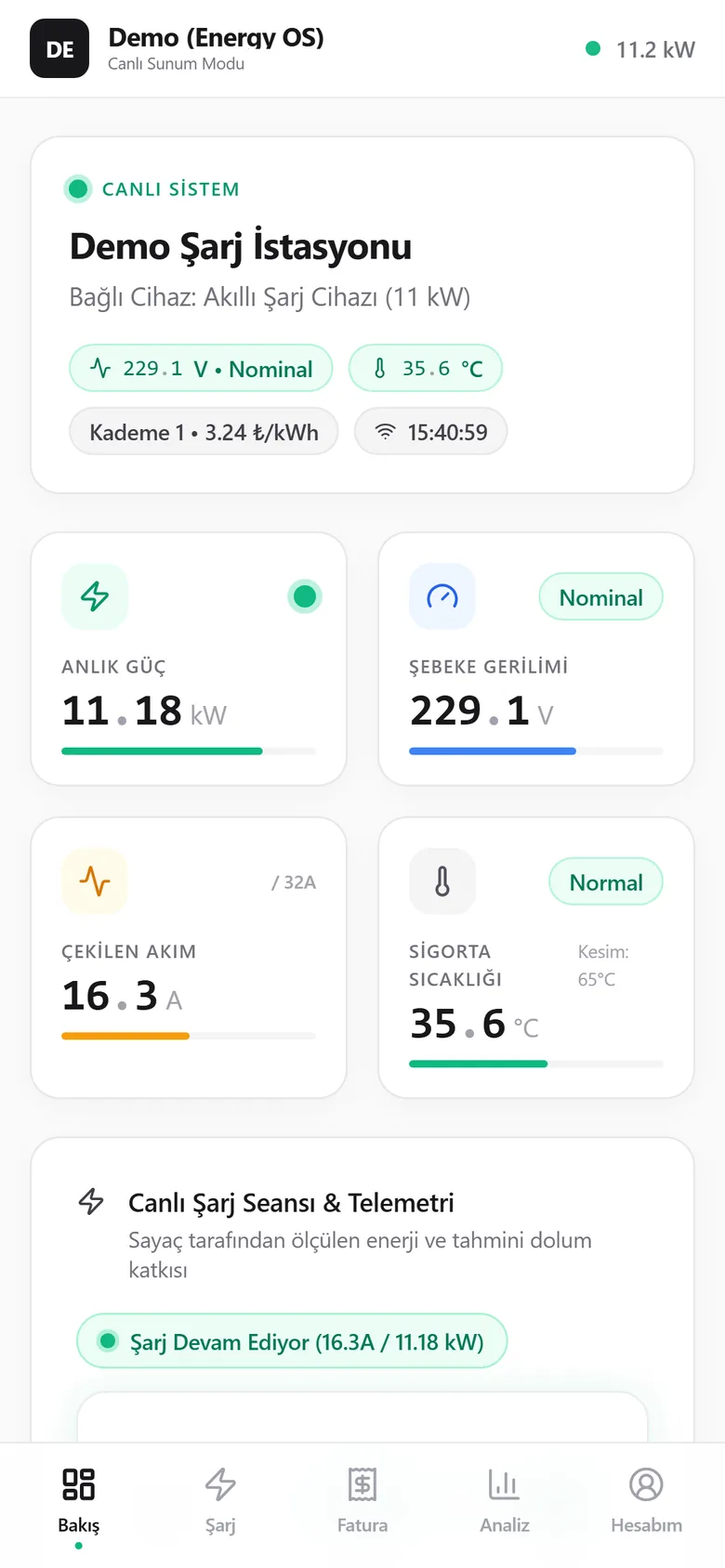
Live power, voltage, current and breaker temperature. Switch the breaker and set the charging current from here.
The device app switches it on and off. Energy OS keeps the books.
Car and charger apps do their own job well. We add the missing layer: cost, history and safety.
| Feature | Device app | Energy OS |
|---|---|---|
| Real meter consumption at home | ||
| EPDK tiered cost and billing periods | ||
| Automatic cut-off by breaker temperature | Limited | |
| Current limit by plug type | ||
| Charger and breaker on one screen | ||
| Works across brands |
Setup
Connected in five minutes. No extra hardware.
Create your account
Sign up with the form below. Your 7-day trial starts right away.
Link Smart Life
Enter your Smart Life user code in the panel and scan the generated QR code with the app.
Pick your device
The chargers and breakers in your account are listed. Monitoring starts the moment you choose one.
Compatible devices
- EV chargers that work with Tuya / Smart Life (EVCP-based wall boxes and portable chargers)
- Tuya smart breakers and relays with energy metering (e.g. Tongou)
- Single-phase and three-phase installations
What you don't need
- A Tuya developer account or API key
- Extra hardware, an extra meter or rewiring
- To share your Smart Life password with us
Step-by-step setup guide
- First add your charger or smart breaker to the Smart Life app and make sure it works.
- In Smart Life open Profile, Settings, Account and Security and copy the User Code at the bottom of the page.
- In the Energy OS panel open Add Device, paste the code and press Generate QR.
- In Smart Life tap + and Scan at the top right to scan the QR. On the same phone, save the QR to your gallery and pick it with the Album icon on the scan screen.
- Tap Confirm Login and return to the panel. Choose your device and set the plug type (household socket, blue or red plug).
- Adjust the tariff, temperature limit and Telegram notifications in Settings. That is all.
Try it first, decide later.
Every new account starts with 7 free days. When the trial ends your data stays, only new recording pauses.
Payment is by bank transfer / FAST, and the license is extended automatically after approval. Dealer and partner codes are entered in the panel.
7 days free
Open your account and start tracking your charging tonight.
- Every feature unlocked, no limits
- No card required, no automatic charges
- Your data stays in your account after the trial
- One-to-one help if you get stuck during setup
Your account is ready.
Your trial has started. Log in to the panel with the username or e-mail below and the password you chose.
Open panelFrequently asked questions
Write to us about anything you can't find here.
Is my charger compatible?
If your device can be added to the Smart Life or Tuya Smart app, it is very likely compatible. Tuya-based chargers and smart breakers with energy metering are supported. If you are not sure, you can see for yourself during the 7-day trial.
Do I need a Tuya developer account?
No. The connection uses your Smart Life user code and a QR confirmation. No API key, developer account or paid Tuya plan is needed.
How accurate is the measured consumption?
Values come directly from the device's own energy meter. The car's battery level is estimated from the measured kWh, because the breaker cannot read the battery. The panel states this clearly.
Is data recorded while the app is closed?
Yes. Our server reads your device every 20 seconds. Charging sessions, daily summaries and protection rules keep working without the app open.
What happens when the trial ends?
You are not charged automatically. The panel stays open and you keep seeing your history; to record new live data you choose a package.
Can I use it on an iPhone?
Yes. The panel works fully in Safari and can be added to the home screen. With Siri Shortcuts you can switch the relay by voice. There is also an Android app.
Is my data safe?
Each account’s data is kept separate and only the owner can see it. Connections are encrypted with HTTPS and passwords are stored as irreversible hashes. We never ask for your Smart Life password.
I am a dealer. Can I offer it to my customers?
Yes. For companies that sell or install chargers we provide partner codes and bulk licenses. Write to us from the contact section.
Checking status
Panel and API...
Database...
Device monitor...
Smart Life connection...
Get in touch.
Write to us about setup, partnerships or investment. We reply as soon as we can.